
At first glance, Submagic and OpusClip look like the same software wearing different shirts.
They aren’t.
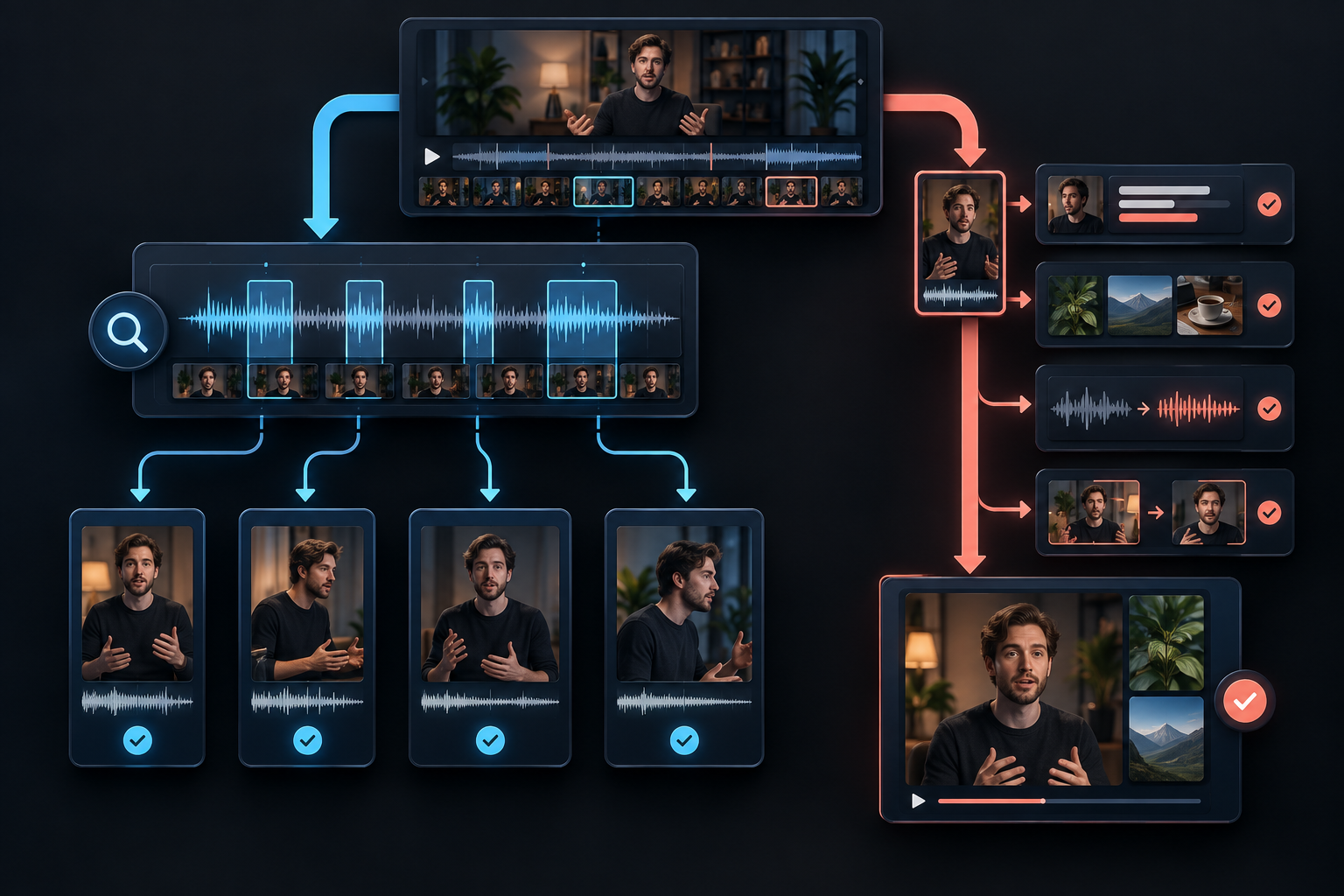
OpusClip makes the stronger case when you have an hour of footage and need somebody to find the moments. Submagic makes more sense when the clips are already picked and the editing pile is the problem. The overlap gets messy, but that starting point clears most of it up.

The shortest useful answer: start with Submagic when your clips are already chosen and need captions, styling, B-roll, cleanup, and consistent branding. Start with OpusClip when the real job is finding usable moments inside podcasts, interviews, webinars, or other long recordings.
The fast decision
| If your starting point is… | Better first look | Why |
|---|---|---|
| A folder of short clips you already selected | Submagic | Its core workflow centers on captions, visual polish, cleanup, and repeatable short-form styling. |
| A one-hour podcast, interview, or webinar | OpusClip | Finding and ranking potential clips from long source material sits at the center of its workflow. |
| Long video that also needs heavy styling | Test both | OpusClip can discover clips and edit them; Submagic can add Magic Clips to its polishing workflow. Output quality and total cost decide it. |
| Client clips that need consistent branded captions | Submagic | Brand styling and finishing speed are closer to its main lane. |
| Visual or low-dialogue footage | OpusClip | ClipAnything is specifically marketed around visual, audio, sentiment, event, and action cues, not transcript alone. |
That table is the useful answer for most buyers.
The longer answer matters if you run volume, manage clients, need automation, or plan to live inside the tool every week.
Where the two products overlap
Software comparison pages age like milk when they act as if products stand still.
Submagic is not only a caption generator.
OpusClip is not only a button that chops podcasts into shorts.
Both products currently cover some version of:
- AI transcription and animated captions
- vertical reframing
- long-to-short clip creation
- B-roll or supporting visual tools
- silence or filler cleanup on eligible plans
- brand styling
- social publishing
- API or automation access on eligible plans
So the buying decision is not a checkbox contest.
It’s about which engine gets you closer to the finish line with your source material.
That is a different question… and a better one.
Long-form clip discovery: the clearer advantage
OpusClip was built around the long-to-short problem.
You give it a longer video. It looks for moments that can stand on their own, reframes them, adds captions, and assigns signals such as a virality score to help prioritize the results.
Its ClipAnything system goes beyond transcript matching in the product’s own description. OpusClip says it analyzes visual, audio, and sentiment cues and can respond to prompts about scenes, actions, characters, events, and emotions.
That matters for content where the best moment is not a tidy spoken quote.
Think sports, demonstrations, travel footage, reaction moments, montages, or videos with long visual stretches and little dialogue.
Submagic is no longer absent here.
Magic Clips can accept a YouTube URL, local file, or public Google Drive link. Submagic says it can produce more than twenty potential clips from podcasts, interviews, webinars, and other long recordings, along with transcripts and its own score for clip potential.
The catch is packaging.
Submagic’s help documentation says Magic Clips may require an add-on. That can change the price comparison fast if long-form processing is the thing you need most.
Winner for long-form-first workflows: OpusClip.
It is the more natural place to start when clip discovery is the main job. Submagic remains worth testing if you prefer its finishing workflow or want clipping and polishing under one roof, but verify the Magic Clips cost first.
Captions and short-form polish: the cleaner finishing workflow
Suppose your raw material is not a two-hour podcast.
It’s twenty vertical clips from a filming day. The moments are already chosen. Now every one needs captions, pacing, visual movement, cleanup, brand styling, and export.
That is where Submagic’s product shape makes sense.
The workflow puts animated captions, caption templates, B-roll, zooms, silence removal, bad-take removal, audio cleanup, brand assets, and publishing close together. Specific capabilities depend on the plan, but the product is organized around makin’ short clips feel finished.
OpusClip can caption and edit too. Its paid plans advertise animated captions, an editor, auto-posting, brand templates, filler and silence removal, AI B-roll on Pro, multiple aspect ratios, scheduling, custom fonts, and speech enhancement.
This is not a shutout.
It is a question of emphasis. Submagic starts closer to a selected short that needs polish. OpusClip starts closer to a source video that needs mining.
Do not choose either tool based on a 99 percent caption claim
Both vendors promote high transcription accuracy.
Those numbers do not tell you what happens with your accent, your microphone, your industry vocabulary, your product names, or the clip somebody recorded beside a rattling air conditioner.
Run the same difficult sixty seconds through both products.
Count the errors that change meaning or make the brand look careless. Then compare correction time.
That’s your caption winner.
Winner for pre-selected shorts and branded finishing: Submagic.
The gap narrows as OpusClip adds more editing tools, but Submagic’s center of gravity remains caption-led short-form polish.
Editing control, automation, and everyday workflow
Editing control
Neither platform should be mistaken for a full non-linear editor.
They are designed to get a large percentage of the repetitive work done quickly. If you need complex compositing, detailed color work, intricate sound design, or exact frame-level decisions across a major project, expect to finish in dedicated software.
For everyday social output, both tools offer meaningful controls after the AI pass.
OpusClip’s free tier specifically lists no editing, which makes its free experience more of an output sample than a full workflow test. Editing appears in Starter and above.
Submagic’s free trial lets you edit three short videos, but the watermark stays until you pay.
Brand consistency
Submagic lists brand kits and broader brand-asset features on higher plans.
OpusClip Starter includes one brand template, while Pro lists two brand templates and custom fonts.
If you manage multiple brands or client accounts, do not stop at “supports brand templates.” Count how many templates, fonts, users, and workspaces you actually need.
Publishing
Both products advertise paths to social publishing on paid plans.
OpusClip Pro lists six social connections and a scheduler. Submagic’s Pro and Business plan descriptions include publishing capabilities.
Check the exact networks you use, whether approval steps fit your team, and whether scheduled posts preserve the settings you normally add inside each platform.
Automation and API access
Both products expose automation options.
Submagic’s API page describes project creation controls for templates, a webhook URL, custom dictionaries, magic zooms, magic B-roll, and related settings.
OpusClip lists limited API access on Pro, and its ClipAnything page also promotes API and MCP options.
API access on a pricing page is not the same as an automation-ready business process.
Before choosing, verify rate limits, monthly allowance, webhook behavior, input sources, output handling, and whether the endpoint covers the exact feature you plan to automate.
Submagic’s pricing page has shown inconsistent API-minute figures in different sections, so confirm that allowance inside the live checkout or dashboard.
Submagic vs Opus Clip pricing
The public pricing pages show the following prices and headline limits. Prices, credits, and inclusions can move, so check the live plan pages before buying.
| Product and plan | Published price | Headline allowance | Important limitation |
|---|---|---|---|
| Submagic free trial | $0 | 3 short videos | Watermark on free downloads |
| Submagic Starter | $19 per member/month | 45 credits, shown as 15 videos | Up to 2 minutes per video |
| Submagic Pro | $39 per member/month | 120 credits, shown as 40 videos | Up to 5 minutes per video |
| Submagic Business | $69 per member/month | 300 credits, shown as 100 videos | Up to 30 minutes per video |
| OpusClip Free | $0 | 60 credits per month | Watermark, no editing, exports unavailable after 3 days |
| OpusClip Starter | $15/month | 150 credits | One brand template and a narrower feature set than Pro |
| OpusClip Pro | $29 monthly or $14.50/month billed annually | 300 credits per month, 2 seats | Annual price requires a $174 yearly payment |
On the smallest paid monthly plan, OpusClip’s published sticker price is lower.
That does not settle the value question.
The products use different credits, limits, and bundles. Submagic prices per member. OpusClip varies seats and connections by plan. Magic Clips may add to Submagic’s total. Free output restrictions are different.
Price the workflow, not the card.
If you’re leaning toward Submagic, use the three-video Submagic trial plan before choosing a tier. For the full plan breakdown and limitations, see the Submagic review hub.
Which tool should you choose?
For a short-form creator
You film clips intentionally for Reels, Shorts, or TikTok. You know which takes you want. Your bottleneck is the assembly line after recording.
Submagic is the cleaner first test.
For a podcast or interview show
Your content begins as thirty minutes, an hour, or more. You need help finding self-contained moments before you worry about caption color.
OpusClip starts closer to that problem.
For branded client clips
If your team receives selected clips and needs to turn them into consistent social assets, Submagic’s polishing workflow is likely the better fit.
Check seat cost, brand controls, video length, and monthly credits against the whole client roster.
When the visual moment matters more than the transcript
ClipAnything’s stated ability to use visual, audio, sentiment, and prompt cues makes OpusClip the more interesting test for action, scenes, reactions, events, or footage with little speech.
Test both if long-form discovery and final polish matter equally
Do not compare two different source files.
Give both tools the same long video. Save the top five clips each one finds. Then compare:
- Count the selections that make sense without explanation.
- Check whether each clip begins with enough context.
- Notice which endings feel complete.
- Record the captions that need meaningful corrections.
- Time each clip from first pass to publishable quality.
- Calculate what that monthly volume will actually cost.
Ignore the virality score for a minute.
If the clip does not make sense to a cold viewer, a shiny number beside it will not save the thing.
Final verdict
Submagic wins the workflow that starts with a chosen short.
OpusClip wins the workflow that starts with a long recording.
The middle is gettin’ crowded because both companies keep adding features from the other side.
That is good for buyers, but it makes old comparison charts dangerous.
Decide where your real bottleneck lives. Clip discovery? Start with OpusClip. Captions and finishing? Start with Submagic. Need both at scale? Run the same source through both and measure usable output, cleanup time, and total monthly cost.
That’s the comparison that survives the marketing page.
If your clips are chosen, test the finishing workflow
Submagic gives you three short videos to find out whether the captioning and polish actually save time on your footage.
Digital Verge may earn a commission if you buy through this link, at no additional cost to you. OpusClip source links are non-affiliate references.
Questions before you choose
Is Submagic better than Opus Clip?
Submagic is generally the cleaner fit when you already have short clips and want fast captions, styling, B-roll, zooms, cleanup, and repeatable brand polish. OpusClip is generally the stronger starting point when your main job is finding promising short clips inside long videos. Both products now overlap, so the best choice depends on where your workflow begins.
Which is better for turning podcasts into clips?
OpusClip is the more natural first choice for a long-form-first workflow because clipping and ranking moments from long source videos is central to the product. Submagic also offers long-to-short processing through Magic Clips, but its documentation says Magic Clips may require an add-on.
Which is better for captions, Submagic or Opus Clip?
Both provide AI captions and animated styles. Submagic places caption styling at the center of its short-form editing workflow, while OpusClip combines captions with long-form clip discovery. Test both with names, jargon, fast speech, and imperfect audio because each vendor’s accuracy claim can differ from results on your footage.
Do Submagic and Opus Clip have free plans?
Submagic documents a three-video free trial with a watermark and says no credit card is required. OpusClip lists a free-forever plan with 60 credits per month, watermarked output, no editing, and exports that are unavailable after three days. Verify live terms before signing up.
Which costs less, Submagic or Opus Clip?
OpusClip lists a $15 monthly Starter plan, while Submagic Starter is $19 per member per month. The cheaper plan is not automatically the better value because credits, file-length limits, editing controls, seats, add-ons, and your source-video workflow are different.